In today’s digital age, businesses of all sizes heavily rely on technology to operate and grow. From storing sensitive data to communicating with clients and employees, information technology plays a crucial role in the daily operations of any modern business.
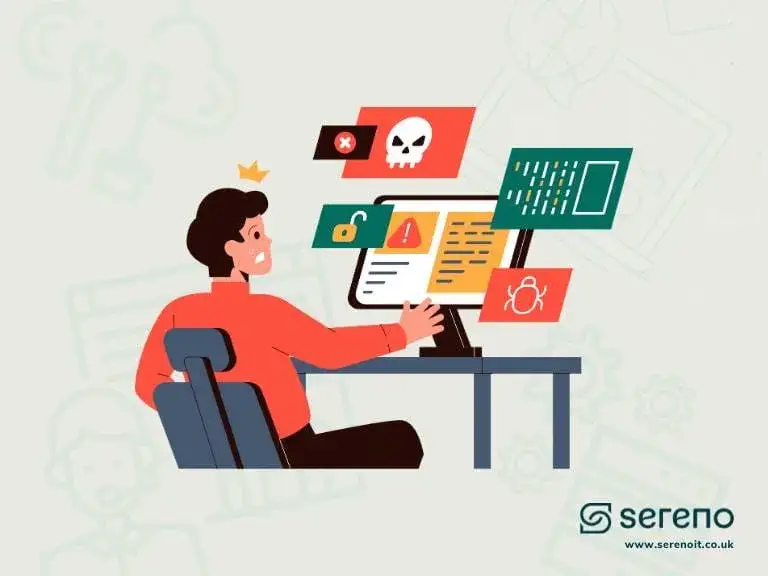
However, with technology comes the risk of cyber threats that can cause significant damage. This is where having an IT security policy becomes essential. In this post we explore the dangers of not having one in place, and the importance of implementing a multi-layered IT security policy to protect against potential cyber-attacks.
What are IT security policies?
In simpler terms, an IT security policy is a set of clear guidelines and procedures implemented by businesses to safeguard their technology and information assets against potential threats. It establishes a standardised approach to security, ensuring measures and practices stay consistent across the organisation, which reduces the risk of gaps or inconsistencies that leave vulnerabilities.
IT security policies cover all IT-related systems, hardware, services, facilities and processes the company uses, whether through its network, servers, or cloud-based environments. They clearly outline the rules employees must follow to ensure compliance, prevent cyber-attacks, and protect sensitive information, customer data, financial records and intellectual property, from unauthorised access, theft or loss.
These protective measures typically include password policies, caching, software updates, access rules, encryption standards and data-backup procedures. They also clarify the roles and responsibilities of different stakeholders. IT staff, management and employees, so everyone understands the risks of a breach and the preventive measures against threats like malware, phishing and data breaches.
Types of IT security policy
Here are some of the most widely used security policies, each focusing on a specific aspect of security:
- Organisational security policy, outlines overall security goals and establishes the framework for all other policies; typically assigns security responsibilities.
- Acceptable use policy, defines how employees can and cannot use the organisation’s computers, networks, data and assets; its main goal is preventing misuse.
- Access control policy, describes how access to data, applications and resources is granted, and to whom, ensuring only authorised users reach company systems.
- Information security policy, specifies how users should handle, store and share sensitive information inside and outside the organisation, including data-protection methods.
- Incident response policy, outlines the steps to follow in the event of a security breach or cyber incident.
- Network security policy, sets standards for protecting the network, such as firewall configuration, intrusion detection and encryption.
- Remote access policy, defines how employees access organisational resources remotely (especially on personal devices or public networks), covering VPN requirements, MFA and secure access protocols.
- Password management policy, establishes requirements for creating and changing passwords: length, complexity, rotation and storage.
- Data security policy, establishes requirements for data collection, classification, storage and processing, and governs how data is shared to keep it confidential, available and intact.
- Mobile device policy, controls the use of mobile devices, including encryption, data access and security apps that protect organisational data on personal or company-owned devices.
- Physical security policy, addresses physical access to premises, securing buildings and restricting unauthorised access to sensitive areas.
- Vendor management policy, sets standards for managing third-party risk and how vendors create, collect, store and transmit confidential data on your behalf.
- System-specific policy, tailored to a particular system, application or platform and its unique security controls and risks.
- Issue-specific policy, designed to address a particular security issue, often created in response to emerging threats or identified vulnerabilities.
Benefits of having an IT policy
Beyond protecting your information systems and sensitive data, an IT security policy serves important reputational purposes. It provides a clear roadmap for security and risk management while fostering a culture of security awareness that builds trust among customers and investors. The main benefits:
- Risk management, helps identify and assess potential risks and vulnerabilities, so you can proactively put controls in place to mitigate them. It also signals your commitment to security, reassuring customers and investors that their information is safeguarded.
- Compliance and regulatory requirements, many industries have specific data-protection and information-security regulations. A policy helps you adhere to them and avoid legal consequences, while showing you follow best practice.
- Employee awareness and training, gives staff clear guidelines on acceptable use, data handling and security protocols, raising awareness of risks and good habits, and assuring stakeholders their data is treated with care.
- Supporting a positive business reputation, transparency with customers, partners and employees builds a positive image. Having incident-response, information-security and data-security policies in place shows you take risks seriously and are prepared.
- Improved organisational efficiency, a comprehensive security program streamlines procedures and clarifies responsibilities across departments, so everyone follows the same guidelines and less time is spent resolving issues.
- Guiding the implementation of cybersecurity controls, policies act as a roadmap for implementing controls aligned to your specific purposes, needs and risks, ensuring consistent, effective protection.
Dangers and risks of not having an IT security policy
As cyber threats grow more common and sophisticated, businesses are vulnerable to data breaches, hacking attempts and malware attacks. The growth of networking, cloud services and mobile devices presents new opportunities for unauthorised access to systems and data, and reduces the scope for central, specialised control of IT facilities.
Without an IT security policy in place, these threats can result in significant financial loss, reputational damage, and even legal trouble.
How could an IT policy have prevented these breaches?
In both cases, the financial and reputational risks of not having an IT security policy were clear. A policy in place would have significantly helped prevent the incidents. Here’s how:
- Vulnerability management, policies include regular vulnerability assessments and patch management. Equifax’s breach came from a failure to patch a known vulnerability; clear procedures would have addressed it promptly.
- Security awareness and training, a policy sets out employees’ responsibility for a secure environment and provides guidance on recognising phishing and malware, minimising successful attacks.
- Access control and authentication, strong passwords, MFA and proper user privileges prevent unauthorised access. WannaCry exploited unpatched systems; a policy would have enforced regular updates and reduced the attack surface.
- Incident response and recovery, well-defined procedures (communication protocols, containment, recovery) let organisations respond swiftly to limit the damage of a breach.
- Regular policy reviews and updates, a policy isn’t static; periodic reviews keep measures aligned with evolving threats and catch potential vulnerabilities before they’re exploited.
Multi-layered IT security policy
A multi-layered security policy would have been even more effective at mitigating these risks. While a standard policy sets guidelines for technology usage, a multi-layered approach uses several distinct components, each serving a different purpose, to defend your digital assets and infrastructure.
The different layers of an IT security policy typically include:
- Physical security, securing the physical devices and infrastructure, such as servers, routers and switches.
- Network security, securing the communication channels between devices and systems, such as firewalls and intrusion detection systems.
- Access control, regulating who can reach your information and resources, via authentication and authorisation protocols.
- Incident response, having a plan to respond to security incidents quickly and effectively.
Implementing multi-layered policies requires a proactive approach: regular security audits to identify vulnerabilities, security-awareness training for employees, keeping software and hardware updated, strong passwords and encryption, and monitoring network traffic are all essential components of a robust IT security policy.
What should an IT policy include?
Here’s a template covering the key areas important for an IT security policy in compliance with UK standards. Remember to customise it to your organisation’s specific needs, and review and update it regularly so it stays relevant and effective.
-
Introduction
An overview of the policy and its purpose, the scope and assets it covers, and the roles, responsibilities, reporting and escalation procedures. Covers: purpose, objectives, scope and applicability, roles and responsibilities.
-
Information risk management
The roles and responsibilities for IT security risk, plus duties, reporting and escalation procedures. Covers: risk assessment, risk management process, risk management framework.
-
Access management
How access is granted and revoked, the requirements for authentication and authorisation, and how privileged access is managed. Covers: user, system, privileged and remote access management.
-
Password creation and management
Requirements and best practices for creating, storing and managing passwords so staff use strong credentials securely. Covers: complexity requirements, storage and encryption, change protocols.
-
Network security
The security architecture protecting your network, and procedures for configuring and managing network security devices. Covers: architecture, access control, security devices.
-
Asset management
Procedures for identifying and classifying IT assets, handling and disposing of them, and managing software licences. Covers: inventory, classification, handling and disposal.
-
Physical security
Controlling physical access to IT assets, securing equipment and facilities, and managing environmental controls. Covers: physical access control, equipment security, environmental controls.
-
Incident management
Procedures for reporting and responding to security incidents, plus business-continuity requirements. Covers: incident reporting, incident response, business continuity management.
-
Compliance
Requirements for legal and regulatory compliance, and for auditing and reviewing the policy. Covers: legal/regulatory compliance, industry standards, audit and review.
-
Data retention
Requirements for storing, archiving and securely disposing of data based on compliance and business needs. Covers: retention period, storage requirements, disposal procedures.
-
Training and awareness
Keeping employees up to date on the latest threats, and the security-awareness programs that build a culture of security. Covers: training requirements, security awareness program.
-
Change management
Ensuring all changes to IT infrastructure, policies and procedures are reviewed, approved and documented to maintain security and stability. Covers: change approval process, documentation and review, risk assessment for changes.
-
Glossary and definitions
Definitions for key terms used throughout the policy, for clarity and shared understanding. Covers: definitions of key IT security terms, abbreviations and acronyms.
Get a free IT policy consultation
We understand that setting up an IT policy from scratch can be daunting, but it doesn’t have to be.
Our team provides free IT security reviews to help you assess and enhance your business’s physical, network, operational and information security. During the review, our IT support team will thoroughly analyse your existing IT policy (if you have one) and provide feedback and recommendations for improvement, along with guidance on the best IT security practices tailored to your business.
If you’re ready to take the next step in protecting your business, don’t hesitate to reach out.
Speak to one of our knowledgeable advisors on 0203 089 01 41 or at hello@serenoit.co.uk to learn more about how we can help you transform your business.
Written by
Reymart David
Part of the Sereno IT team helping growing UK businesses make confident, jargon-free technology decisions. Read more compliance & risk guidance in our Compliance & Risk library.